Mymera is everything you need to start invoicing and registering collections costing less than a cup of coffee!
Imagine everything you can do with one subscription — for less than the price of a cup of coffee a month. No per-feature pricing, no surprise add-ons. Just one tab to open, every tool ready.
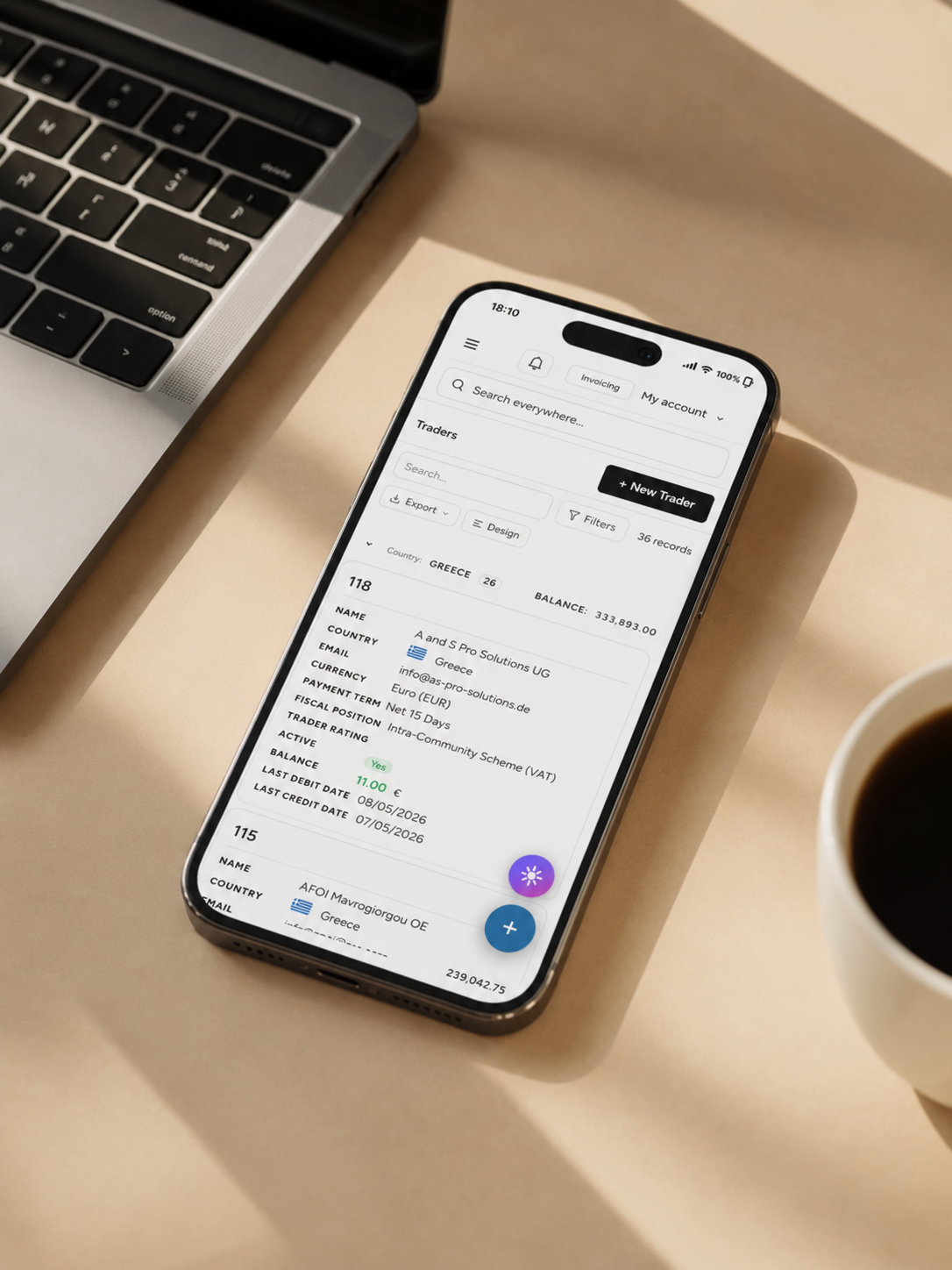
Send an invoice from a coffee shop. Snap a receipt at the petrol pump. Check yesterday's revenue on the train home. Phone, laptop, tablet — same workspace, same data, same tools, no compromises.
MyMera is built for the way real work gets done — flexible, mobile-first, beautiful on any screen.
Sign up in seconds. No credit card required. Full access to every feature while you decide.
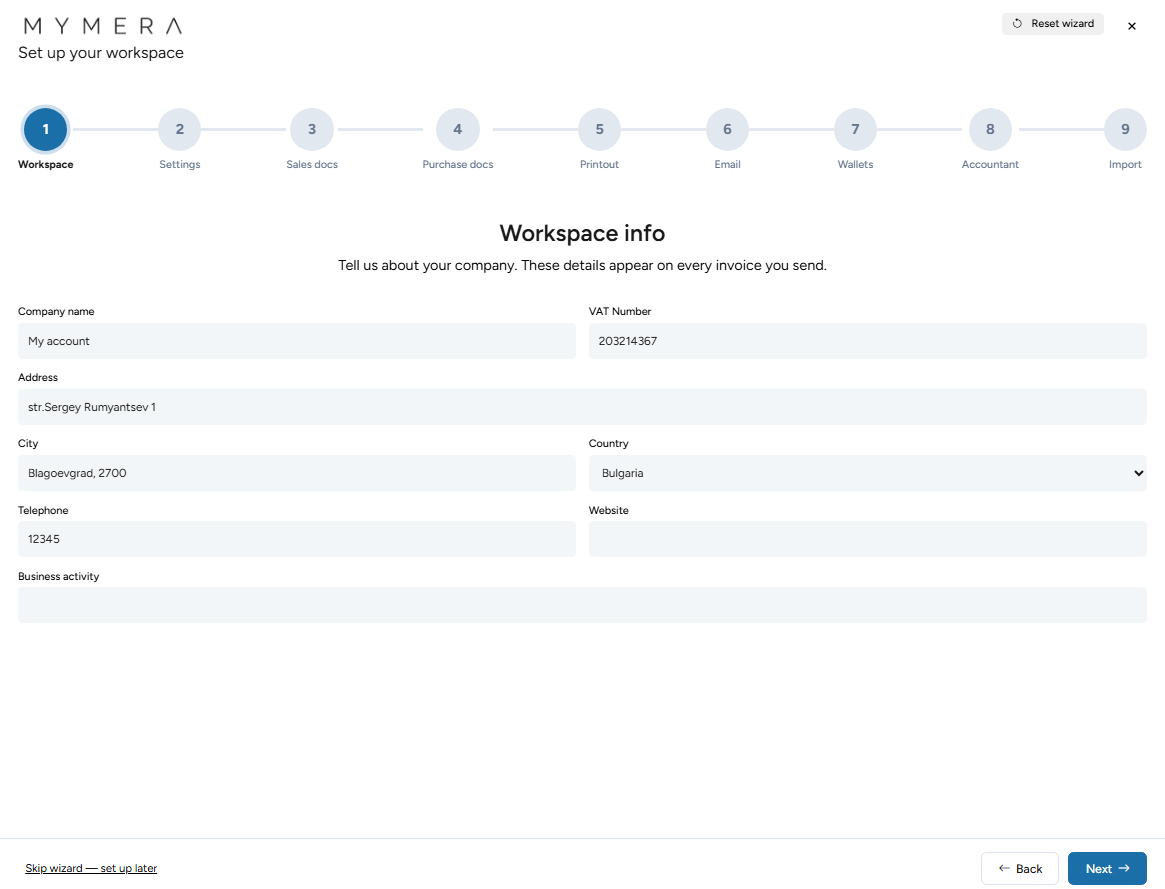
Sia walks you through 9 quick steps — language, doctypes, templates, wallets — done in minutes.
Invoicing, expenses, payments, dashboards, AI — all handled from one place.
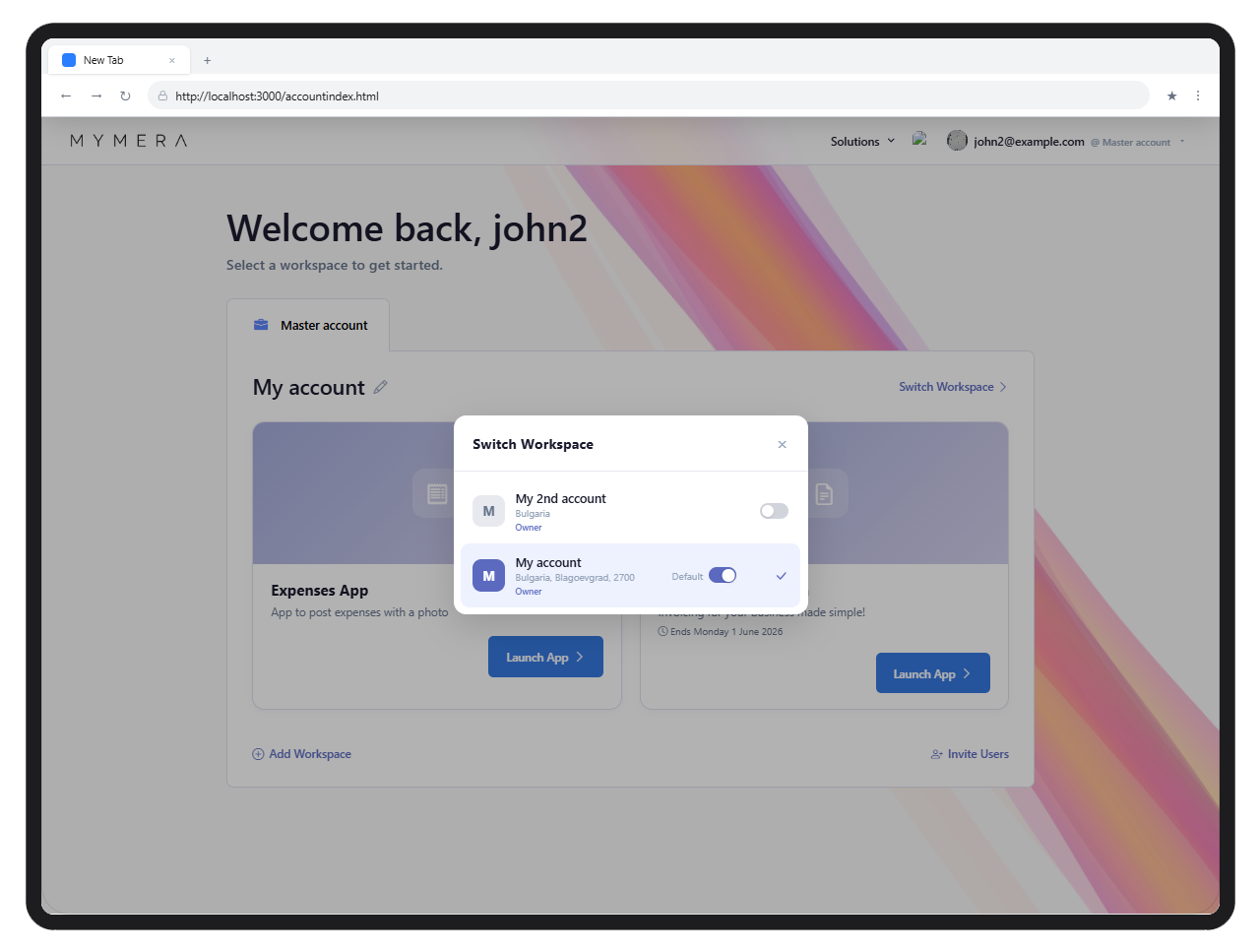
Run as many companies as you like under a single MyMera account. Each business gets its own isolated workspace — its own data, its own templates, its own team — and you switch between them with a click. No second logins, no duplicate subscriptions, no exported-spreadsheet juggling.
Invite teammates per workspace and assign the role that matches what they actually do — Owner, Admin, IT or Member — so finance sees the books, ops sees the documents, and IT keeps the keys.
The heart of MyMera. Create professional invoices, manage vendors, track payments, and stay on top of your cash flow with powerful list views and document scheduling.
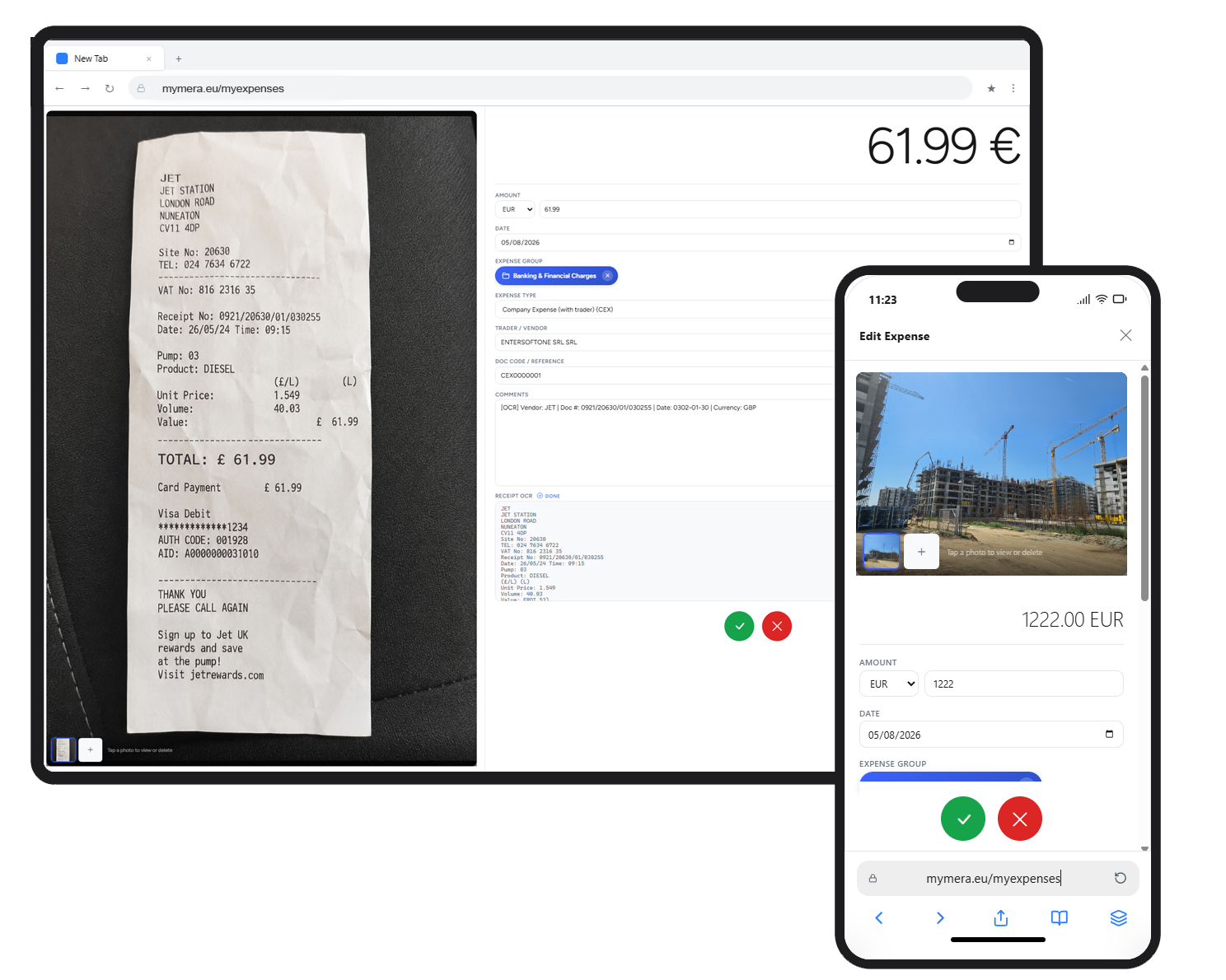
Track every business expense from your phone. Snap a photo of a receipt and let OCR do the heavy lifting — amounts, dates, and VAT numbers are extracted automatically. Invite yourself and your colleagues to post expenses on the go: a salesperson at a client lunch, a foreman on a fuel run, an accountant clearing a backlog at their desk. Everything lands in the same workspace, ready to be paid, classified and reported.
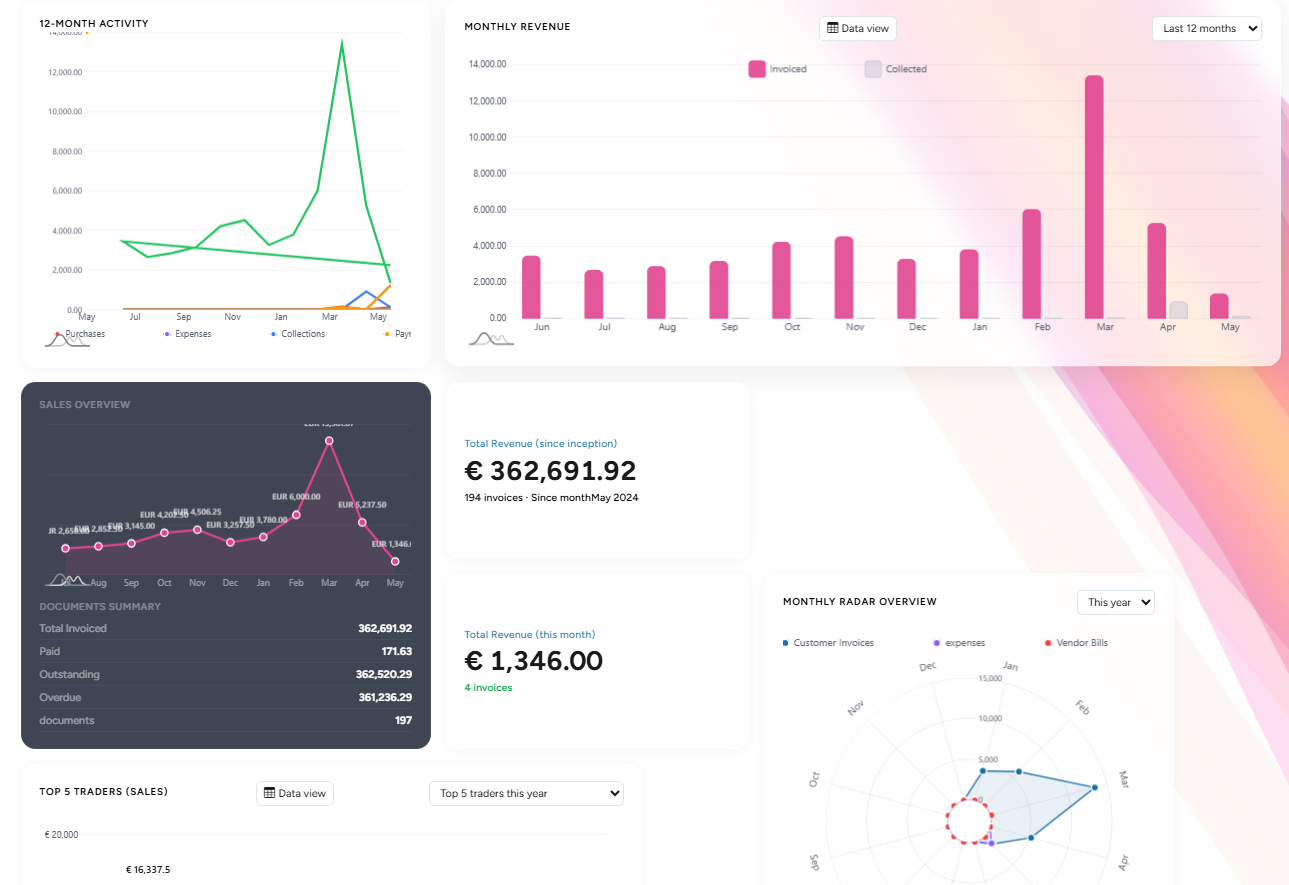
Customise the workspace to your shape — design your own dashboards, screens, emails and printouts. Schedule recurring documents. Get paid in instalments and match payments automatically. Speak your customer's language on every printout.
Drag, drop, resize. Pick the widgets that matter — KPIs, sales radar, top traders, scheduled docs — and save your layout per user.
Read moreRe-arrange every form — invoices, traders, items. Add panels, tabs, hide fields you don't use. Your team works your way.
Read moreDesign the emails your customers receive. Wildcards for document data, repeating line blocks, full HTML control — no developer needed.
Read moreSales invoices, credit notes, orders — pick a template or design your own. Logos, sections, line columns, totals exactly where you want them.
Read moreCompose the email, see the merged document side-by-side, attach the PDF — all in one window. Your customer gets exactly what you saw.
Read moreSet it once, issue forever. Weekly, monthly, six-monthly, yearly. Auto-post, auto-email — including a copy to you. Bell-icon alerts when something runs.
Read moreTake a deposit, take instalments, take it all at once. Payments link automatically to the right invoices and reflect on every report in real time.
Read moreSend the same invoice in your customer's language — English, German, French, Greek, Bulgarian, Romanian, Spanish. Per-trader override, automatic on print.
Read moreTrader journals, trader balances, item journals, and two new aged-receivables reports (per document, per trader). Auto-paginated as A4 sheets with page numbers — what you see on screen is what comes out of the printer.
Read moreEvery public document share now generates a scannable QR. Your customer points a phone at the invoice, opens the document, sees your IBANs — and pays.
Read morePlug in your own SMTP per workspace — Gmail, Microsoft 365, your hosting provider, Brevo, SendGrid. Built-in cheatsheet for 11 common setups. Invoices go out from your address, not ours.
Read moreDrag in your bank's statement file. We parse MT940, CAMT.053, UBB Bulgaria, and Piraeus Greece — auto-match rows to your invoices, and create payments or expenses from the rest.
Read moreThe last sprint shipped a setup wizard, real bank connections, expense tracking, automatic payments, a wallets entity, smarter dashboards, and an AI assistant. Each one removes friction your team was feeling — here's the story.
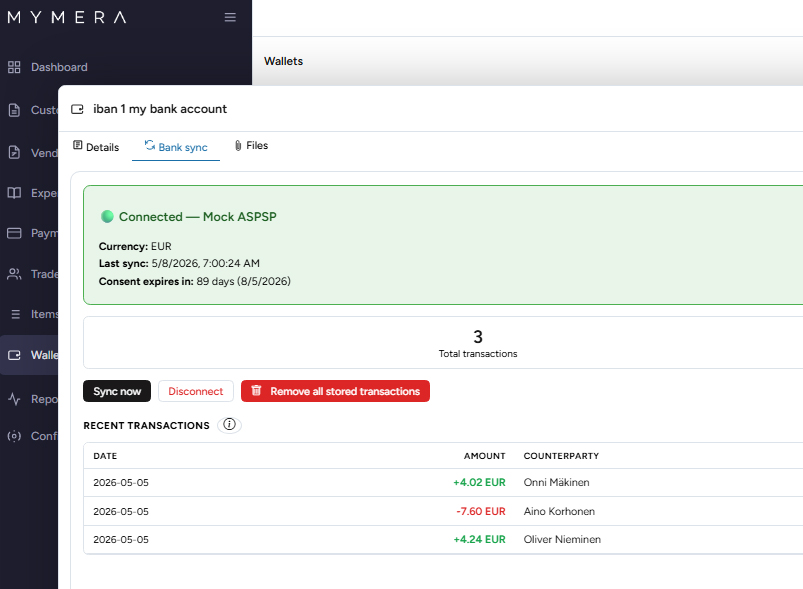
MyMera now talks directly to your bank through Enable Banking's PSD2 network. Authorise read-only access once, and every wallet attached to that account pulls in fresh transactions on its own — no CSV imports, no spreadsheet glue.
Expenses are first-class documents now, not a spreadsheet bolted on the side. They use the same database as invoicing, share the same trader directory, and feed the same dashboards — so a euro spent shows up everywhere a euro earned does.
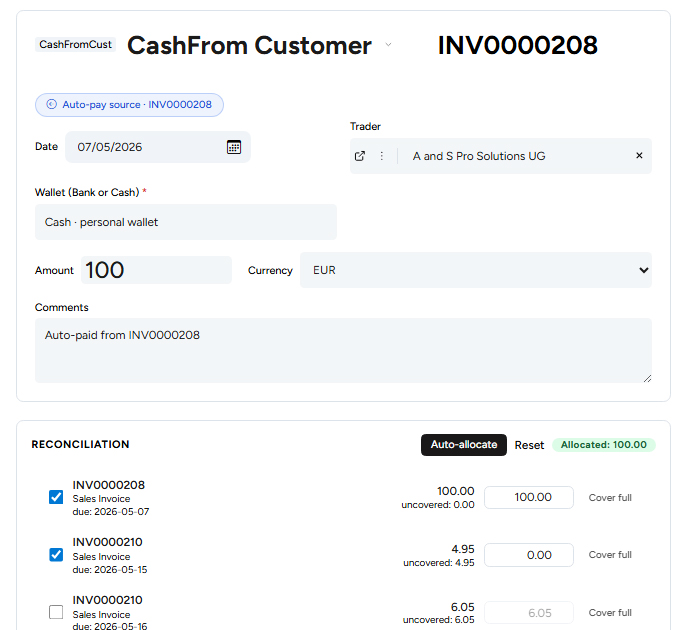
Cash-on-delivery flows used to be two clicks: post the invoice, then post the receipt. Auto-pay rules collapse that into one. Configure once per (doctype, paymentterm) combination, and every matching post creates the paired payment, allocates coverage across schedules, and links both documents.
Liquid-asset accounts used to be hidden inside Configuration. They're a sidebar entry now — sitting between Items and Reports — because you'll click into them every day to reconcile, sync, or check a balance.
The dashboard learned to count expenses. That sounds simple, but it required rewriting how the platform classifies money flow — from the trader-journal flag to the wallet-movement direction — so the numbers match what your bank statement says.
New workspaces open into a friendly 9-step wizard hosted by Sia, MyMera's AI guide. Each step picks one decision — language, doctype templates, default printout, email template, wallet — so a fresh business is invoice-ready in about ten minutes.
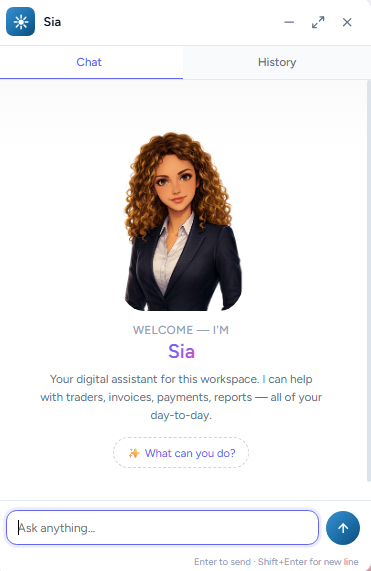
An always-on chat anchored in the bottom-right of the invoicing app. Ask Sia to draft an invoice, find an overdue trader, schedule a recurring document or summarise the dashboard — and she does it with the same internal helpers your team uses, not a parallel reimplementation that drifts.
Sign up with your email. Verify your account and set your password in seconds.
Choose the apps you need — invoicing, expenses, or both. Each app gets its own isolated workspace.
Create your first invoice, track an expense, or invite your team. Everything ready from day one.
Whether you're a freelancer, a growing startup, or an established company — MyMera scales with you. Free to start. No credit card required.
Get started freeWe'd love to hear about your business. Fill the form or reach out directly.